How can I convert an anatomical MRI from DICOM into CTF format?
This page describes how we do the conversion at the Donders Centre for Cognitive Neuroimaging (DCCN) in Nijmegen and some of the items described here are specific to us, such as the directory layout and the precise definition of the ear landmarks, but most of this description applies in general.
Doing it the new and easy way
You don’t have to use the CTF software to convert the DICOM images and to assign the coordinate system. Please do refer to the pictures below for the definition of the fiducial locations, which have not changed.
% read the DICOM files
mri = ft_read_mri('single_file_of_DICOM_series.IMA');

% or use a graphical file selection
[f, p] = uigetfile('*');
mri = ft_read_mri(fullfile(p, f));

% Making sure you know which side is the right side (e.g., using the vitamin E marker),
% assign the nasion (pressing "n"), left ("l") and right ("r") with the crosshairs on
% the ear markers. Then finish with "q".

cfg = [];
cfg.method = 'interactive';
cfg.coordsys = 'ctf';
mri_realigned = ft_volumerealign(cfg,mri);

% done!
Following coregistration, you can use the ft_volumereslice function to reslice the MRI, i.e. to interpolate the anatomy onto a new 3D grid that is aligned with the axes of the coordinate system. This prevents problems such as described here.
Doing it the old and difficult way
This manual is written for version 5.4.0 of the CTF-software utilities.
The conversion involves two steps, both using the CTF-program MRIViewer: First, the images are converted from DICOM into the native CTF format. Subsequently, the head coordinate has to be specified, the headshape extracted, a single-sphere model can be fitted to the headshape and multisphere can be constructed (for SAM).
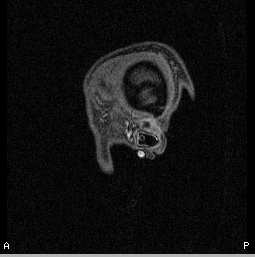
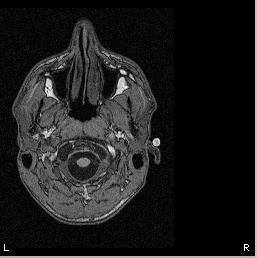
The earphone of the MRI scanner has a large (~1 cm) vitamine E marker built in on the right side. Make sure to check that this marker is visible on the right side.

Directory structure
To keep your data files organized, it is advised that you use a logical directory structure, e.g
| directory | contents |
|---|---|
| /home/…/$subjectcode/ | CTF files (.hdm .mri .shape .shapeinfo) |
| analyze/ | Analyze files (.hdr .img) |
| dicom/ | 208 MRI data files (.ima or .dcm) |
| misc/ | MRI localizer files (.ima or .dcm) |
Where ‘$subjectcode’ is the coded name of your subject data, for instance: subject_01.
Do the following before starting.the actual conversion procedure
- Create a directory ‘$subjectcode’
- Create the directory structure as depicted in the format outline.
- Copy MRI data set to ‘/$subjectcode/dicom’.
- Park localizer files (optional): An anatomical MRI data set consist of localizer files and the actual slices that we are interested in. If the localizer files are still present in the data set, please park them in a ‘misc’ directory that you should create in ‘$subjectcode/dicom’.
- Analyze files are only created when using older CTF software versions (e.g., 4.17)
Now that you have prepared the directory structure for the subject data, you can start with the conversion procedure!
Convert from DICOM to CTF .mri file
- Start MRIViewer. At the moment (Jan11) the current version on the mentats at the DCCN is release 5.40-linux-20061212. Start it by typing ‘MRIViewer’ in the command line.
- Press file -> Import DICOM series…
- Find the .ima files in ‘/home/…/$subjectcode/dicom’, select the first one, and press OK. This opens all .ima files
- A new window will open (‘Save MRI file’) asking you to name the .mri file that will be created
- Name the file $subject and place it in the ‘/home/…/$subjectcode’ directory.
Assign the head coordinate system
While still in MRIViewer, perform the following action
- Mark the fiducials (left + right ear, nasion) in comparison to where the MEG coils are.
At the DCCN we use ear-molds that come in a variety of sizes to position the MEG head localiser coils just outside the left and right ear . For the MRI we use the same ear-molds, but now with small MRI markers.
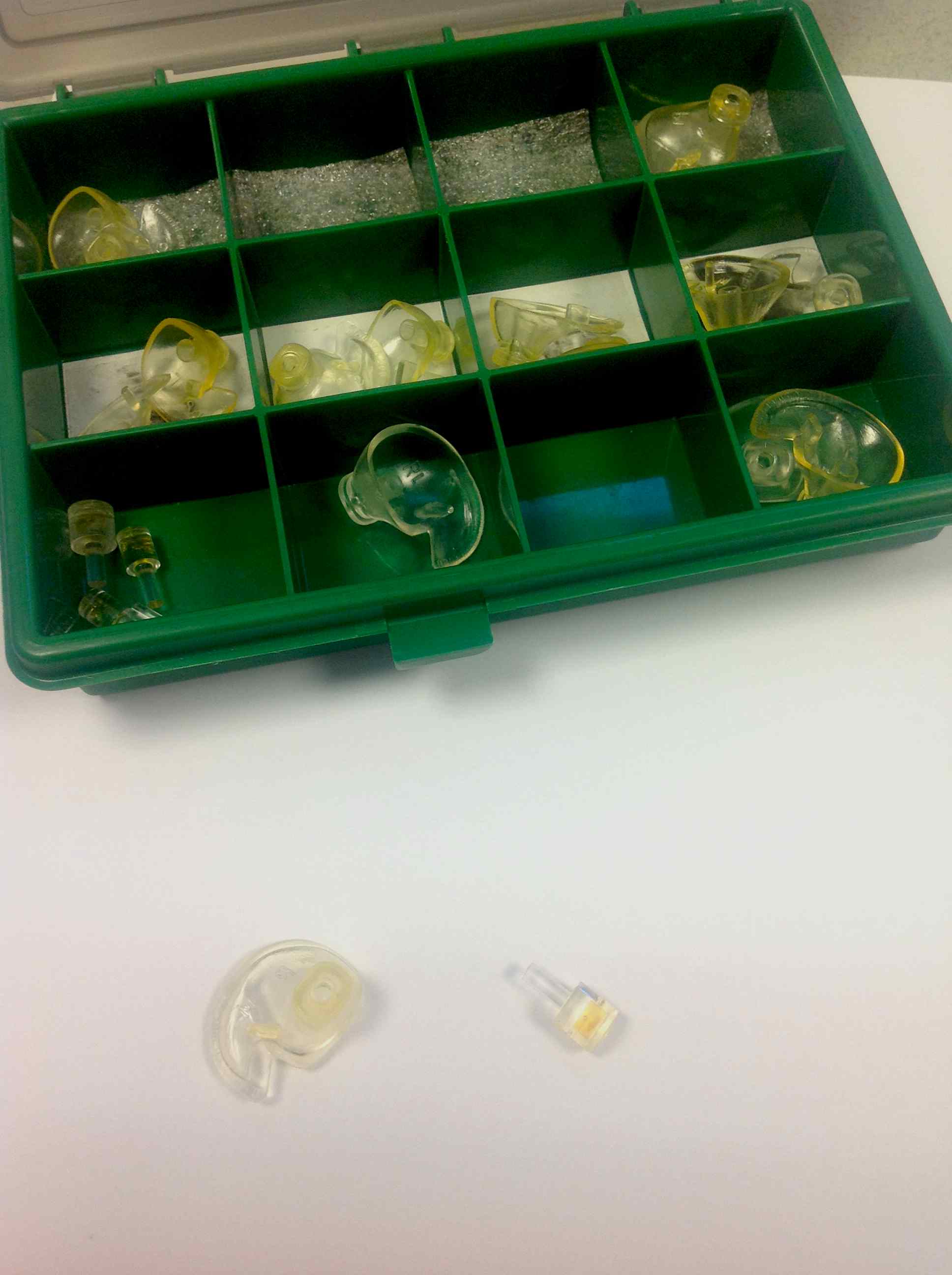
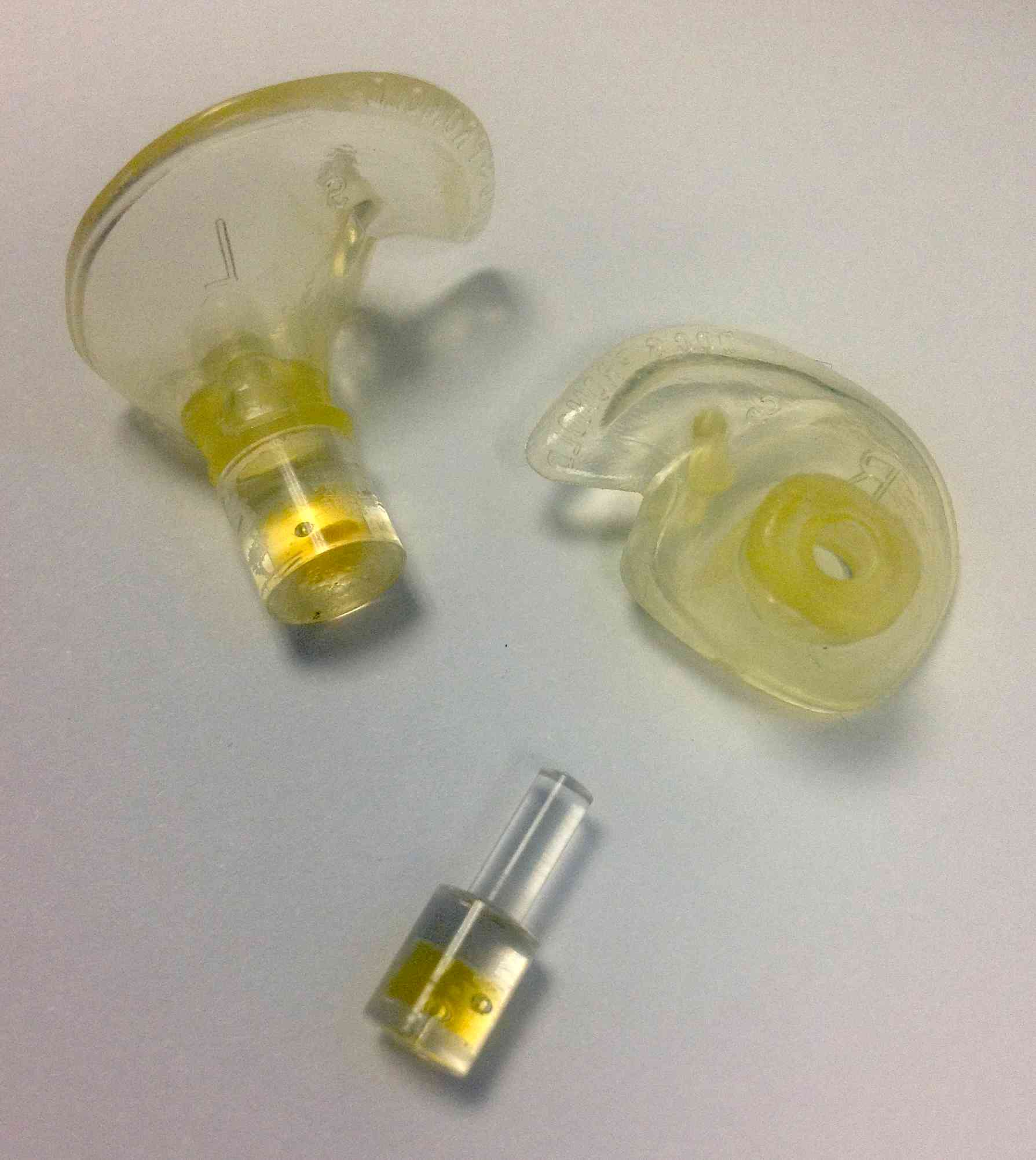
Note that the photo above is incorrect and misleading: it shows one of the markers plugged into the earmold on the inside, whereas in reality they are plugged into the mold on the outside, facing away from the ear. The markers would actually also be too big to fit in the ear canal.
In the MRI below you can see the small dot (the marker) with the yellow arrow hovering outside the ear; the silicone earmold itself is not visible on the MRI.
On top of that, the right ear also contains a large vitamine E marker to help distinguish left and right. At the location of the nasion we don’t put a marker. Below you see three slices with the right-ear marker. Note that the ear marker is the small dot in the middle of the ear shell (yellow arrow), not the large dot close to the ear lobe (red arrow; that is the vitamine E capsule to indicate the right side).
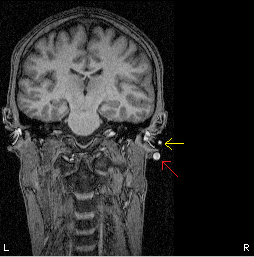
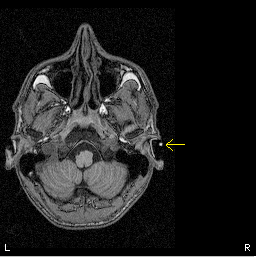
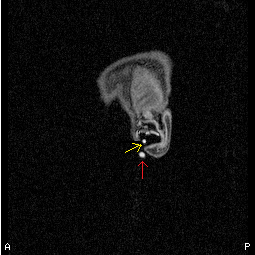
The most elegant way to identify the markers would include:
- double click on one of the slices to zoom in.
- click with your mouse at the voxels where you want to put a marker (an orange cross appears)
- click with your right mouse and hold the button to get a drop down menu where you click fiducials and choose one of the three options.
- you can check all marked fiducials under options and then fiduciary points to see if you have done them all.
- Save the changes in the MRI file (‘File> Save’)
- Make the .mri file compatible with FieldTrip: choose File -> Convert to CTF v2 format and replace the .mri file
Create a headshape
Transform the head shape somewhat by applying the following thing
- choose Options and brain/headshape to get a new menu
- in that menu, select under Extract: head shape
- click Options to enlarge the dialog
- choose under view/processing options the sobel edge enhancement
- besides that, also apply a three-pass erosion under the erosion options
- after that, click extract to extract the head shape
Go to file and save the head shape file in the same folder as the .mri is in. The positions should be saved in head coordinates. Saving the headshape to file will create a .shape file and a .shape_info file. Close the brain/head shape extraction dialog by clicking File->close. When asked if the current shape points should be deleted, say No.
Create a default single-sphere model
In the main window of the MRIViewer, click on fit to head shape” It should give an error of around 5% or less. Save the single-sphere headmodel in the same directory as the .mri is in, this will create an .hdm file (File -> Save head model as). You should also save the changes in the MRI file (File, Save). Now you can finally close MRlViewer.
Please note that for most FieldTrip analyses you will not be using a single-sphere volume conduction model, but it might be handy to have the single-sphere head model.
Create a multi-sphere model for SAM
Important to realise is that the multi-sphere model depends on the headshape AND on the position of the gradiometers. Therefore each measurement session (or dataset) should have its own multi-sphere model. The first time you run SAM with new data, SAM asks you to find the .shape file only once. After this is done once other SAM calculations using the same file will automatically get the needed data.